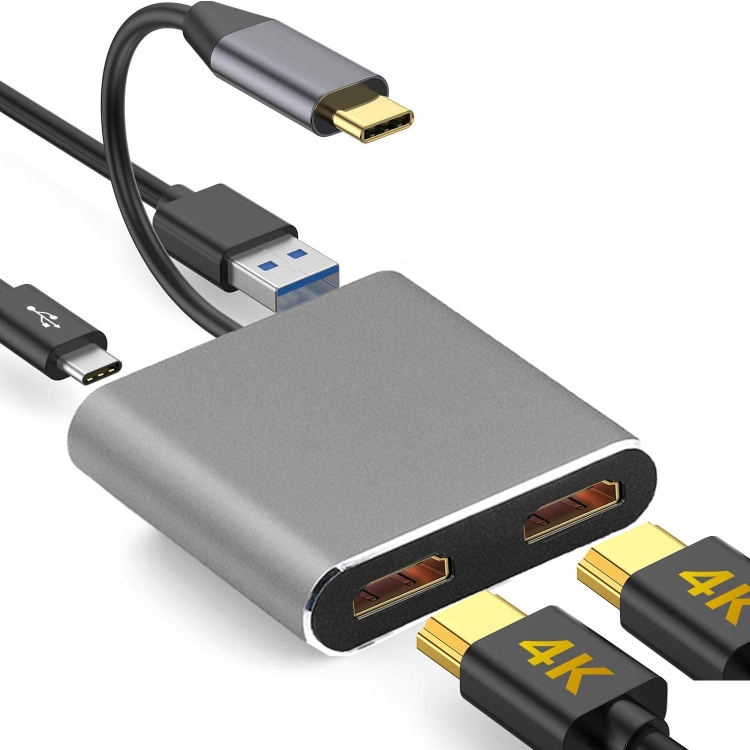
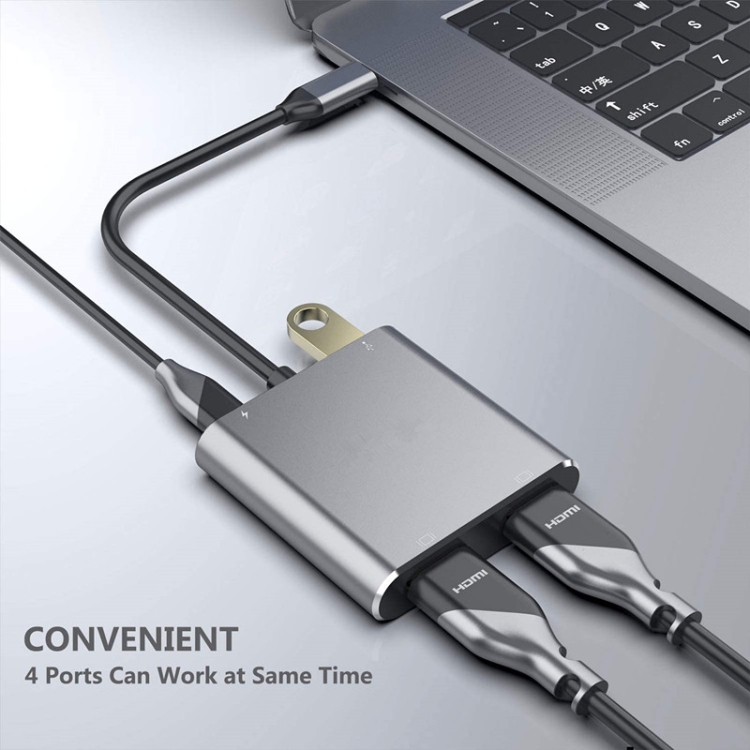
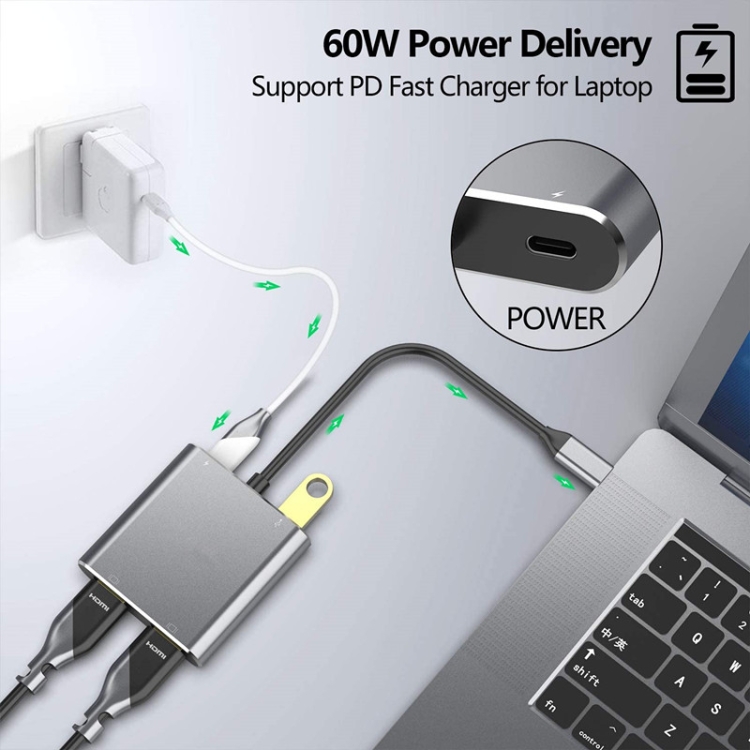
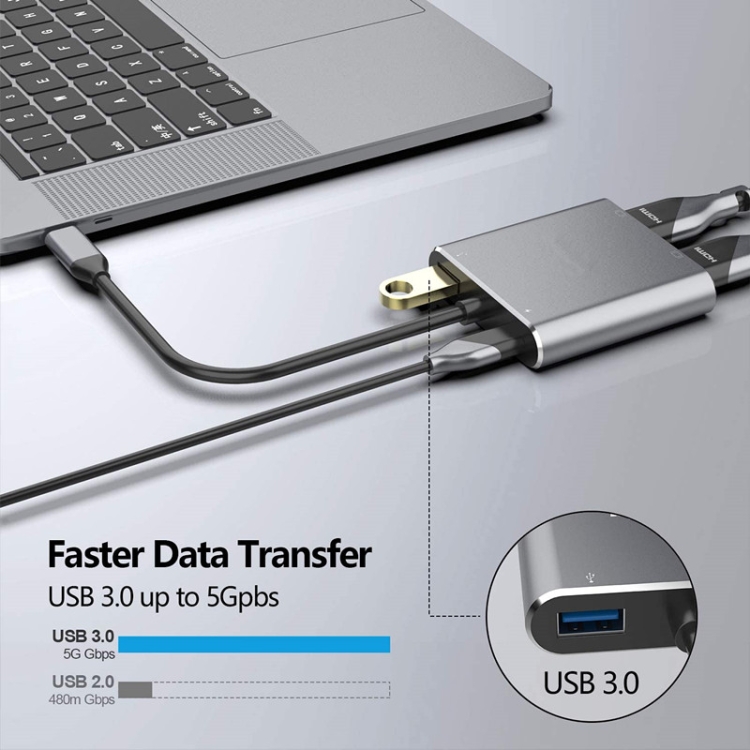
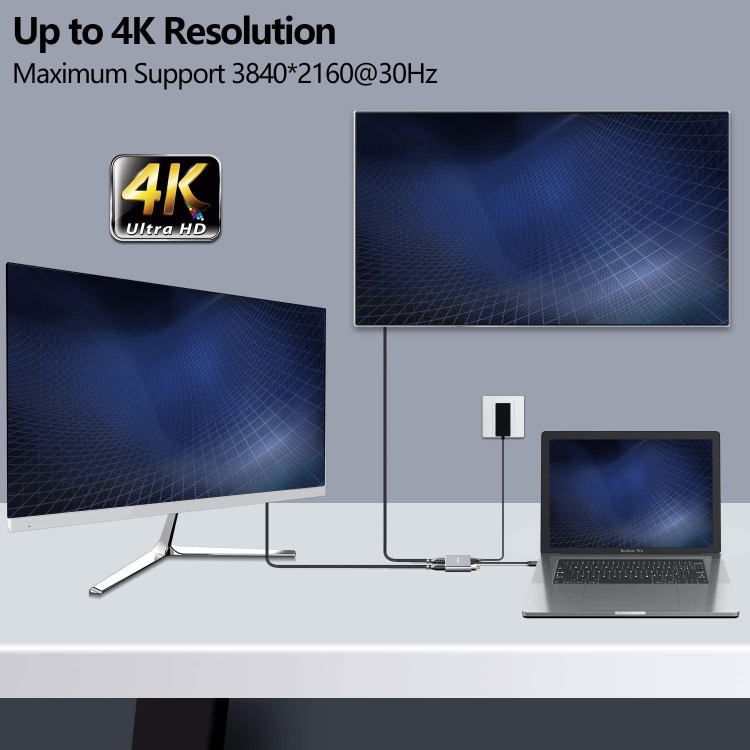
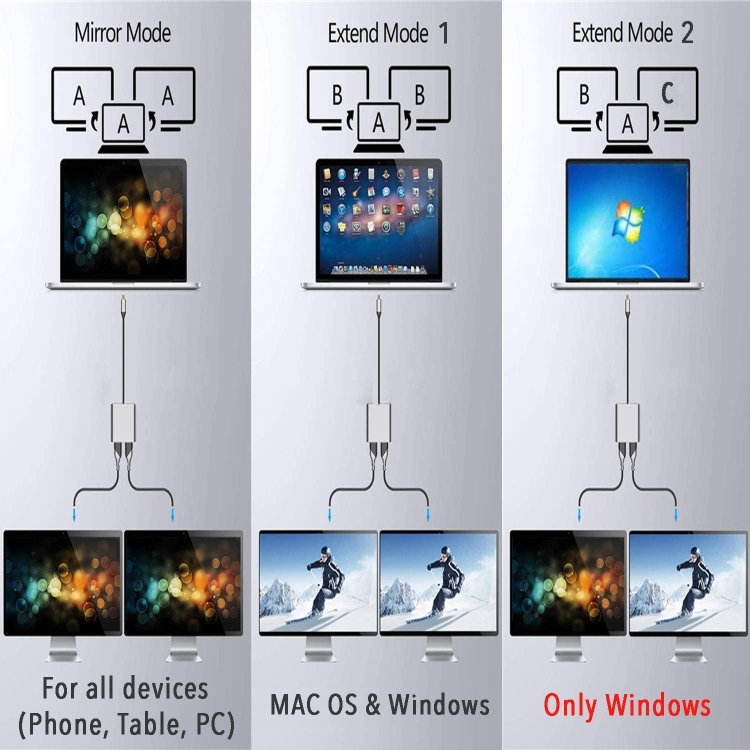
1. USB C to Dual HDMI Adapter connects the devices with a USB-C interface port to two HDMI ports, a USB 3.0 port, a PD port. Four ports can work at the same time.Designed for devices equipped with Type-C port or Thunderbolt 3 port that support video and audio output Mode. 2. High Speed USB 3.0 Transfer up to 5 Gbps, work for USB flash disk, mouse, keyboard and other USB A 2.0/USB A 3.0 devices. Easy to transfer a HD movies in short time. Meanwhile Type-C charging quickly output up to 60W, avoid running out of power during use it. 3. This mulitport adapter dont require any software,drivers, or complicated installation process. Portable and premium aluminium design provides better heat dissipation. Special internal PCB anti-jamming design, no need to worry interrupt WiFi signal any more. 4. Compatible MAC OS, Windows, Android, Linux system USB C Device. Support 2015-2019MacBook/MacBook Pro, iPad Pro 2018, Macbook air 2018, Surface Book,Google Chromebook Pixel,Dell XPS 12/13/15, HP Spectre X2/X360, Acer Spin7, Samsung S8/S9, and More USB C Device. 5. The Extend Mode support Windows System streaming different images in three displays. Due to the Limit of Mac OS, the image on MAC device for both screens will display the same. 6. High Speed USB 3.0 Transfer up to 5 Gbps, work for USB flash disk, mouse, keyboard and other USB A 2.0/USB A 3.0 devices. Easy to transfer a HD movies in short time. Meanwhile Type-C PD port charge quickly output up to 60W, avoid running out of power during use it. 7. 4 in 1 USB C to Dual HDMI Adapter connects the devices with a USB-C interface port to two HDMI ports, a USB 3.0 port, a PD port. Four ports can work at the same time.Designed for devices equipped with Type-C port or Thunderbolt 3 port that support video and audio output Mode. Mac OS support. 1: Mirror mode . 2: Extend mode(As MAC OS itself limited, in extend mode the image on the two external screens will be the same) . Android support. 1: Mirror mode Windows support. 1: Mirror Mode 2: Extend Mode (the image on the two external screens can be same or different).
Switch Mac device to Extend Mode: "Setting" → "Display" → click the "mirror display" box to switch to Extend mode → then you can drag a window of website/movie to the rightest side of your desktop screen until it disappear on your desktop screen and show up on the external monitor screen. connect Extend Mode for Windows: Right-click desktop→ select display Settings → pop-up Settings screen select display→ select multi-screen display→ expand the desktop (If the display 3 is not display, please to manually select the display→click apply confirm can set OK). display does not display; Right click desktop > Graphics Settings > Select One or More Active Displays.
中文描述: 1. USB C到双HDMI适配器将具有USB-C接口端口的设备连接到两个HDMI端口、一个USB 3.0端口和一个PD端口。四个端口可以同时工作时间。设计的对于配备有Type-C端口或Thunderbolt 3端口的设备,支持视频和音频输出模式。 2. 高速USB 3.0传输速率高达5 Gbps,适用于U盘、鼠标、键盘和其他USB A 2.0/USB A 3.0设备。易于在短时间内传送高清电影。同时C型充电可快速输出高达60W的功率,避免在使用过程中耗尽电源。 3. 这种多端口适配器不需要任何软件、驱动程序或复杂的安装过程。便携式和高级铝合金设计提供更好的散热。特殊的内部PCB抗干扰设计,无需担心干扰WiFi信号。 4. 兼容MAC OS、Windows、Android、Linux系统USB C设备。支持2015-2019 MacBook/MacBook Pro、iPad Pro 2018、MacBook air 2018、Surface Book、Google Chromebook Pixel、Dell XPS 12/13/15、HP Spectre X2/X360、Acer Spin7、Samsung S8/S9和更多USB C设备。 5. 扩展模式支持Windows系统在三台显示器上传输不同的图像。由于Mac操作系统的限制,两个屏幕的Mac设备上的图像将显示相同。 6. 高速USB 3.0传输高达5 Gbps,适用于U盘、鼠标、键盘和其他USB A 2.0/USB A 3.0设备。易于在短时间内传送高清电影。同时C型PD端口充电快速输出高达60W,避免在使用过程中耗尽电源。 7. 4合1 USB C到双HDMI适配器将具USB-C接口端口的设备连接到两个HDMI端口、一个USB 3.0端口和一个PD端口。四个端口可以同时工作时间。设计的对于配备有Type-C端口或Thunderbolt 3端口的设备,支持视频和音频输出模式。 Mac OS支持。 1: 镜像模式。 2: 扩展模式(由于MAC OS本身的限制,在扩展模式下,两个外部屏幕上的图像将是相同的)。 Android支持。 1: 镜像模式 Windows支持。 1: 镜像模式 2: 扩展模式(两个外部屏幕上的图像可以相同或不同)。
 侵权图库
侵权图库